Recommended workbook structure
Dose log
One immutable row per event: compound, amount, unit, route, date, time, site, vial ID, and status.
Compound reference
Source URL, source date, half-life input, route, evidence tier, and explicit uncertainty notes.
Vial inventory
Starting amount, concentration, reconstitution date, logged withdrawals, and calculated remaining amount.
Calculated views
Schedules, adherence, runway, and estimated decay should reference raw logs rather than replace them.
Formula rules that prevent common errors
- Store the unit next to every dose and volume; never infer it from the column heading alone.
- Use validation lists for compounds, routes, units, and status values.
- Keep source values and calculated values in different columns.
- Record the formula version and model assumptions.
- Protect formula cells and back up the raw log.
When an app becomes more practical
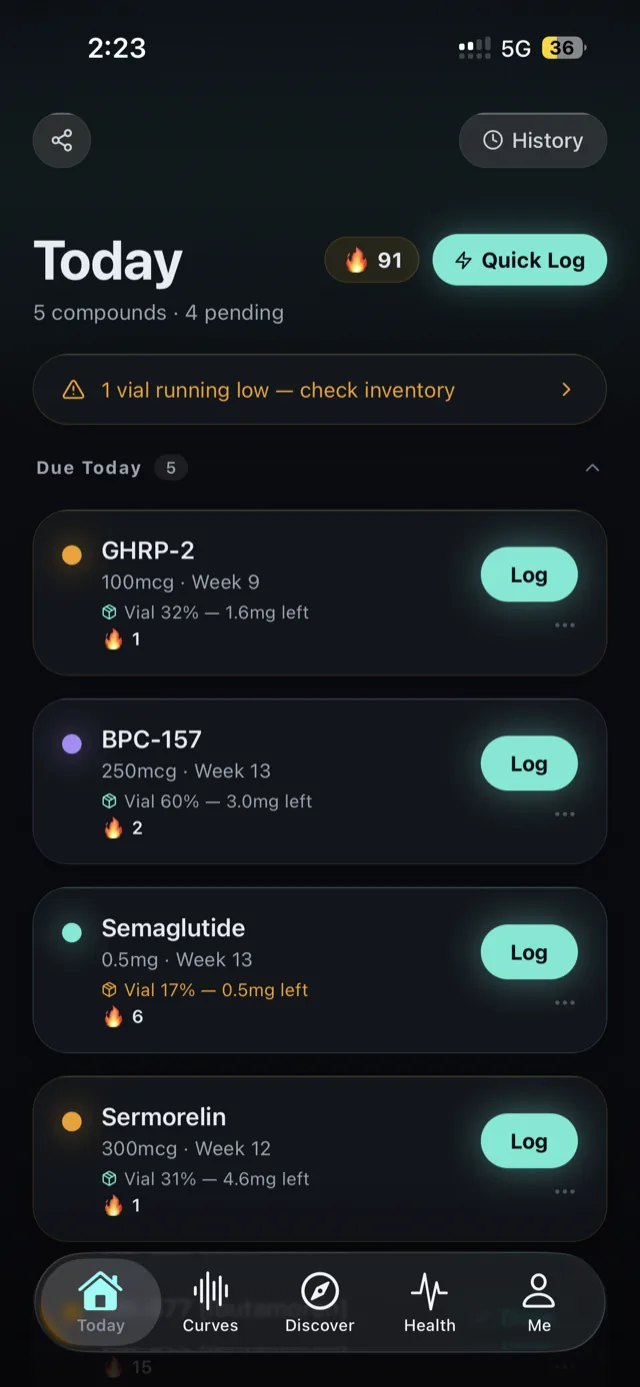
A spreadsheet is usually enough for a small, stable record. A dedicated app becomes more useful when you need reminders, fast mobile logging, injection-site rotation, vial depletion, or multiple overlapping schedules. Halflife’s current App Store listing describes those workflows, while the exact suitability for your process remains a personal decision.
For a quick browser calculation, use the peptide reconstitution calculator. For ongoing records, compare the best peptide tracker apps.
Frequently asked questions
What columns belong in a peptide tracker spreadsheet?
Use compound, dose, unit, route, date, time, injection site, vial ID, status, notes, source, and calculation-assumption fields.
Can a spreadsheet calculate peptide levels?
It can calculate a model estimate if you supply a formula and inputs. The result is not an exact measured concentration and should be labeled as an estimate.
Keep the complete record in one place
Halflife - Peptide & GLP-1 Log organizes injection logs, schedules, vial inventory, sites, symptoms, and clearly labeled estimates on iPhone.
Download Halflife - Peptide & GLP-1 Log